Staying Connected on Your New Zealand Road Trip
Planning a New Zealand road trip? Learn how to stay connected with SIM cards, eSIMs, and coverage tips for cities, highways, and remote areas.
Photo © Baptiste Valthier / Pexels
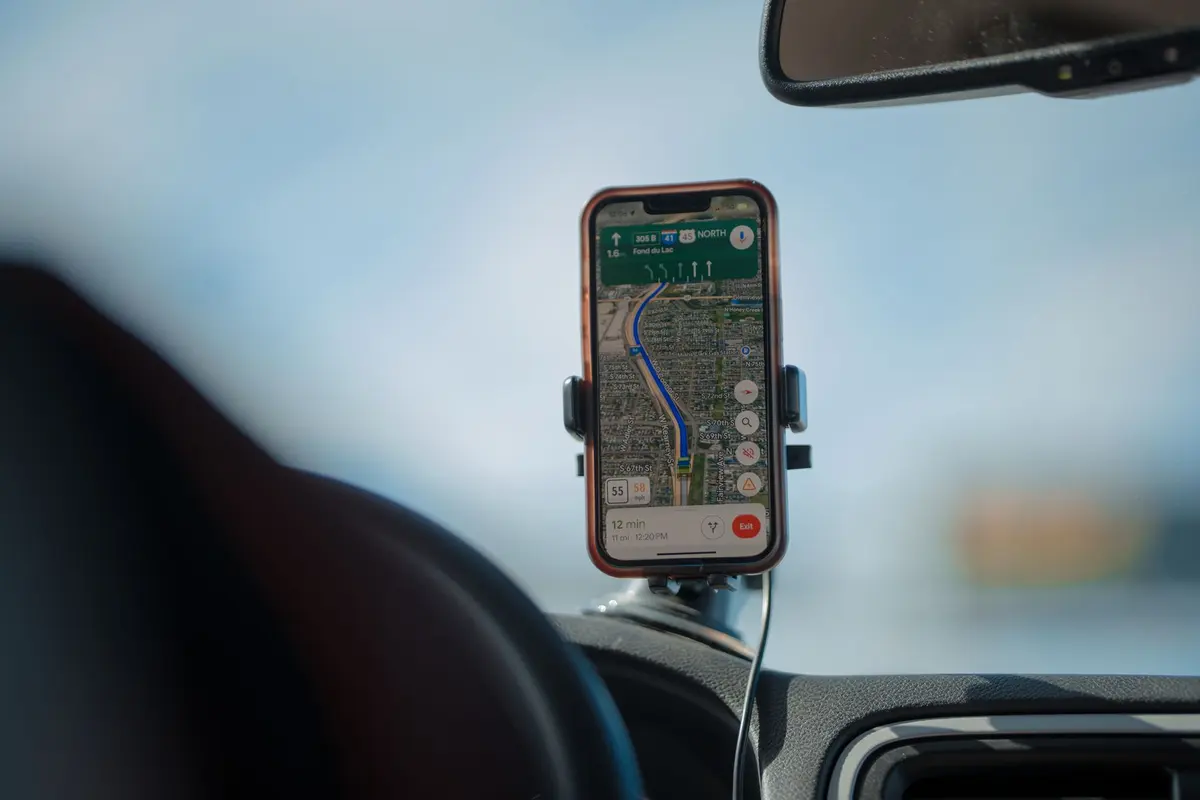
If you are mapping out a New Zealand road trip, mobile data deserves the same attention as your route and accommodation. Between navigation apps, booking confirmations, and checking the weather before a mountain pass, your phone becomes one of the most useful pieces of gear in the car. The short answer: pair a local data option with an offline backup plan, because coverage in New Zealand swings from excellent in the cities to patchy or absent on some of the country's most scenic drives.
Why Connectivity Planning Matters for a Self-Drive Trip
New Zealand is built for self-drive travel, whether you are following a 21-day New Zealand itinerary across both islands or a shorter loop around one region. That freedom comes with a trade-off: you are often relying on your own phone for directions, fuel stops, and last-minute bookings, without a tour guide or hotel front desk to fall back on. A few minutes of planning before departure means you are not left guessing when the signal drops on a remote stretch of highway.
Mobile Coverage in New Zealand: What to Expect
Coverage is strong in and around Auckland, Wellington, Christchurch, and Queenstown, and it generally holds up along the main state highways connecting them. Once you head off the main routes, though, things change quickly. National parks, mountain passes, and long stretches of coastal road can have little to no signal for tens of kilometres at a time. The drive to Milford Sound is a well-known example, with large sections where no network reaches at all.
A few practical points to keep in mind:
- Cities and towns generally have reliable 4G and growing 5G coverage.
- State highways are usually covered, but not continuously.
- National parks and remote beaches often have no coverage at all, regardless of provider.
- South Island road trips tend to hit more dead zones than North Island routes, simply because of the terrain.
eSIM or Local SIM Card: Which One Fits Your Trip
Most visitors choose between a physical prepaid SIM bought on arrival and an eSIM activated before departure. Both get you online, but they suit slightly different travel styles.
A physical SIM from a local carrier can be a good fit if you are staying for several weeks and want the widest possible rural coverage, since local networks sometimes edge out eSIM partner networks in the most remote corners. An eSIM, on the other hand, is hard to beat for convenience: you can set it up on the plane, land already connected, and skip the queue at the airport kiosk. For a comparison of eSIM plans that actually cover the routes travellers use most, sites like MyBestSim lay out data allowances and pricing side by side, which is a useful step before you commit to a plan.
Whichever option you go with, buy enough data to cover navigation, photo uploads, and the occasional video call home. Running low three days into a two-island trip is a frustrating way to spend an evening at a campsite.
Comparing Your Connectivity Options
| Option | Best For | Setup | Coverage Caveat |
|---|---|---|---|
| eSIM | Short to medium trips, quick setup | Activate before landing | Depends on the partner network used |
| Local prepaid SIM | Longer stays, widest rural reach | Buy on arrival at the airport or a store | Requires a SIM slot and ID at purchase |
| Portable WiFi hotspot | Groups sharing one connection | Rent or bring your own device | Another device to charge and carry |
| Home carrier roaming | Very short visits only | No setup needed | Usually the most expensive per gigabyte |
Practical Tips for Staying Connected on the Road
- Download offline maps for each region before you leave WiFi, since navigation apps rarely work well without a signal.
- Check the official network coverage map for your specific route, particularly through mountain passes and national parks.
- Save accommodation and booking details offline in case you cannot load them again on arrival.
- Top up data before remote sections rather than assuming you can do it on the road.
- Use campground and holiday park WiFi to send larger files or stream video, saving your mobile data for driving hours.
- Remember that DOC campsites and huts managed by the Department of Conservation are usually well outside mobile range, so plan your check-ins accordingly.
Matching Connectivity to Your Itinerary
How much data you need often depends on the shape of your trip. If you are travelling in a self-contained campervan, you will likely spend more nights away from town WiFi, so a slightly larger data allowance and an offline map for each region is worth the extra cost. Travellers sticking to a tighter route, such as those planning New Zealand on a budget, can usually get by with a smaller plan topped up as needed, since budget trips tend to stay closer to towns with cafes and free WiFi.
Either way, the goal is the same: enough data to navigate confidently, confirm your next booking, and check the forecast before tackling an alpine road, without needing to hunt for a cafe with free WiFi every afternoon.
Frequently Asked Questions
Do I need mobile data for a New Zealand road trip?
It is not strictly required, but most travellers find it essential for navigation, checking road conditions, and booking accommodation on the go.
Will my phone work in national parks?
Often not. Many national parks, mountain passes, and remote beaches have no mobile coverage at all, so download maps and information in advance.
Is an eSIM enough for the South Island?
For most towns and main highways, yes. For very remote routes, a local prepaid SIM sometimes offers slightly wider rural reach, so check coverage for your specific route beforehand.
How much data should I plan for a two-week trip?
Most travellers using maps, messaging, and occasional video calls are comfortable with a mid-range plan, topped up if they plan to stream or upload a lot of photos and video.
Connectivity will not make or break your trip, but a little preparation means fewer surprises and more time enjoying the drive. Sort out your data plan before you land, keep an offline backup for the remote stretches, and the rest of your New Zealand road trip can stay focused on the scenery.